
TryHackMe - Splunk - Dashboards and Reports - Walkthrough
This room covers advanced Splunk capabilities, specifically how to organize data, create recurring reports, and build visual dashboards to monitor security events. We will walk through the core components of Splunk’s reporting and alerting features.
Task 1: Introduction
This room focuses on organizing search results to make them presentable and actionable for security teams. You will learn to use Reports for recurring searches and Dashboards for high-level monitoring.
- Reports: Saved searches that can be scheduled to run automatically.
- Dashboards: Collections of visual panels (charts, tables) that summarize data.
- Alerts: Mechanisms to trigger actions when specific conditions are met in the logs.
Task 2: Organizing Data in Splunk
Effective data organization is the foundation of a SOC. In this task, we use the Search Processing Language (SPL) to aggregate data across different indices and hosts.
The Challenge
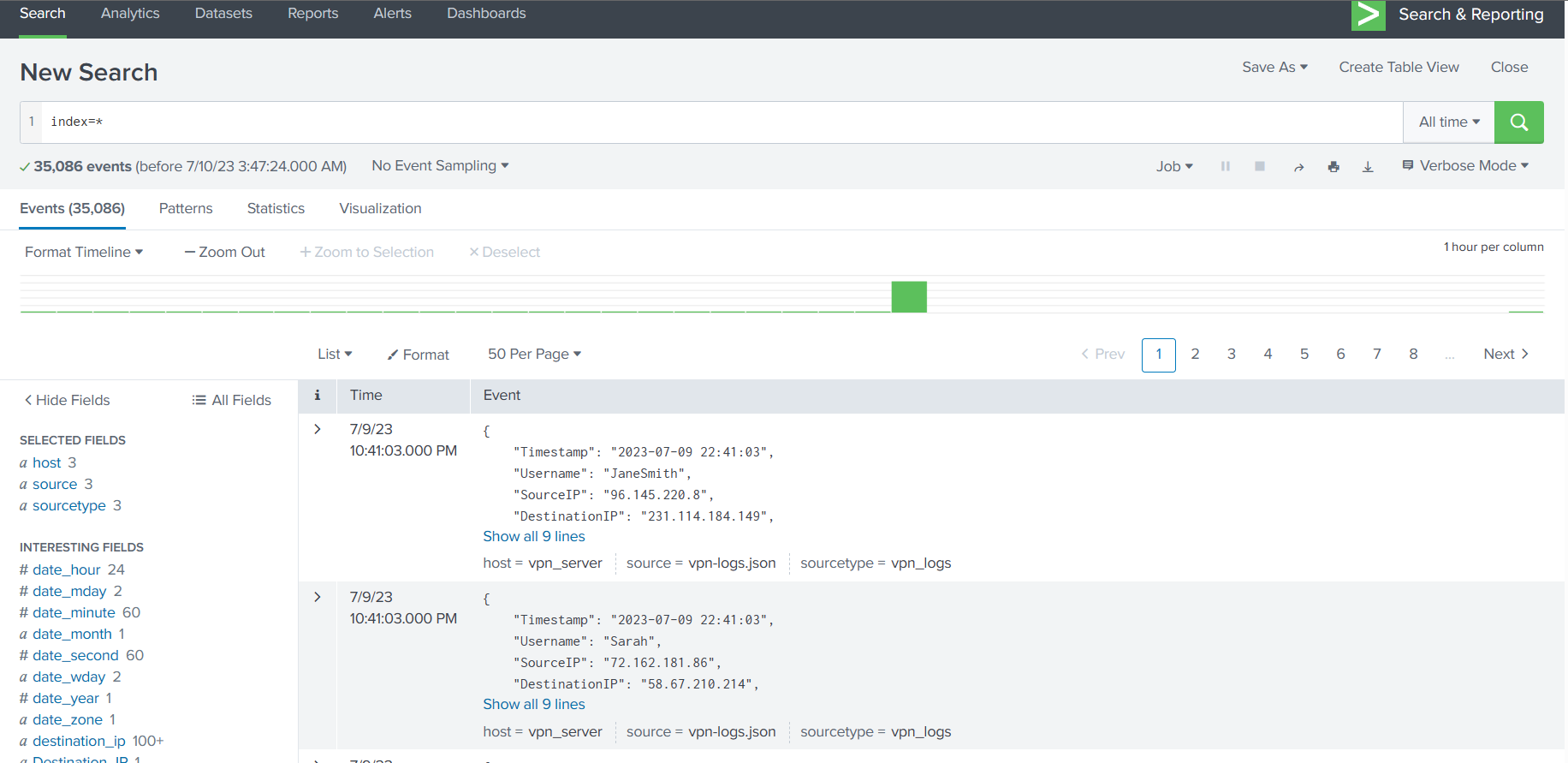
We need to identify the search term used to pull data from all available indices and investigate specific host-centric logs.
- Search Term for all indices: By default, Splunk searches the
mainindex. To search everything, we use the wildcardindex=*. - Report Challenge: Create a report from the
network-serverlogs that lists the ports used in network connections and their count.
Technical Deep Dive: The stats Command
The stats command is used to calculate statistics based on field values. For this lab, stats count by port tells Splunk to group all identical port numbers together and show how many times each appeared in the logs.
- Which search term shows results from all indices?
ANSWER: [REDACTED] - What is the highest number of times any port is used in network connections?
ANSWER: [REDACTED] - Which option must be enabled to choose the time range of a report?
ANSWER: [REDACTED]
Task 3: Creating Reports for Recurring Searches
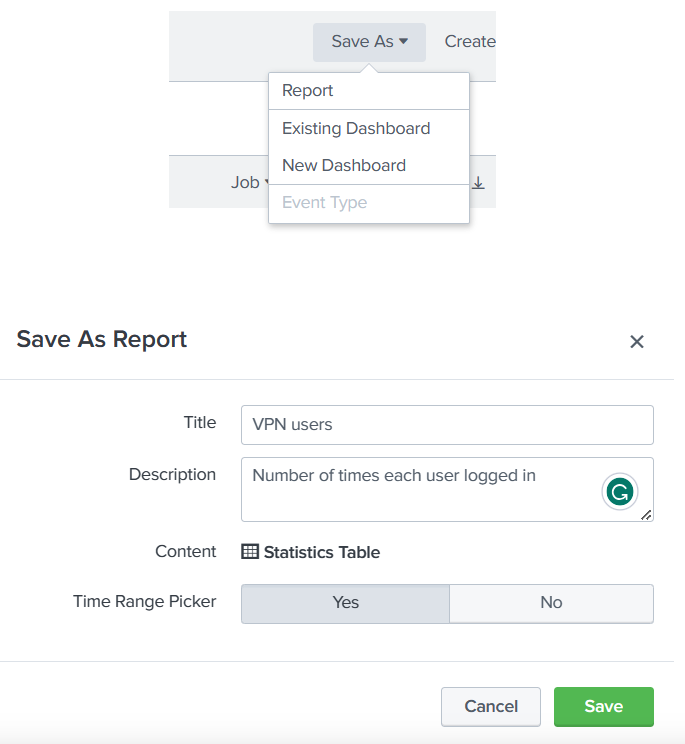
Reports allow analysts to save complex queries and review them later without re-typing. They are essential for daily compliance checks or status monitoring.
The Challenge
Generate a report based on status codes from the web server logs.
- Navigate to Search & Reporting.
- Run the query:
host=web-server | stats count by status_code | sort -count - The
sortcommand: The-countargument sorts the results in descending order (highest to lowest).
- Which status code was observed the least number of times?
ANSWER: [REDACTED]
Task 4: Creating Dashboards for Summarizing Results
Dashboards provide a visual “at-a-glance” view of your security posture. They can be built using the Classic builder or the newer Dashboard Studio.
The Solution
While Dashboard Studio offers more customization, the traditional method remains popular for quick security oversight.
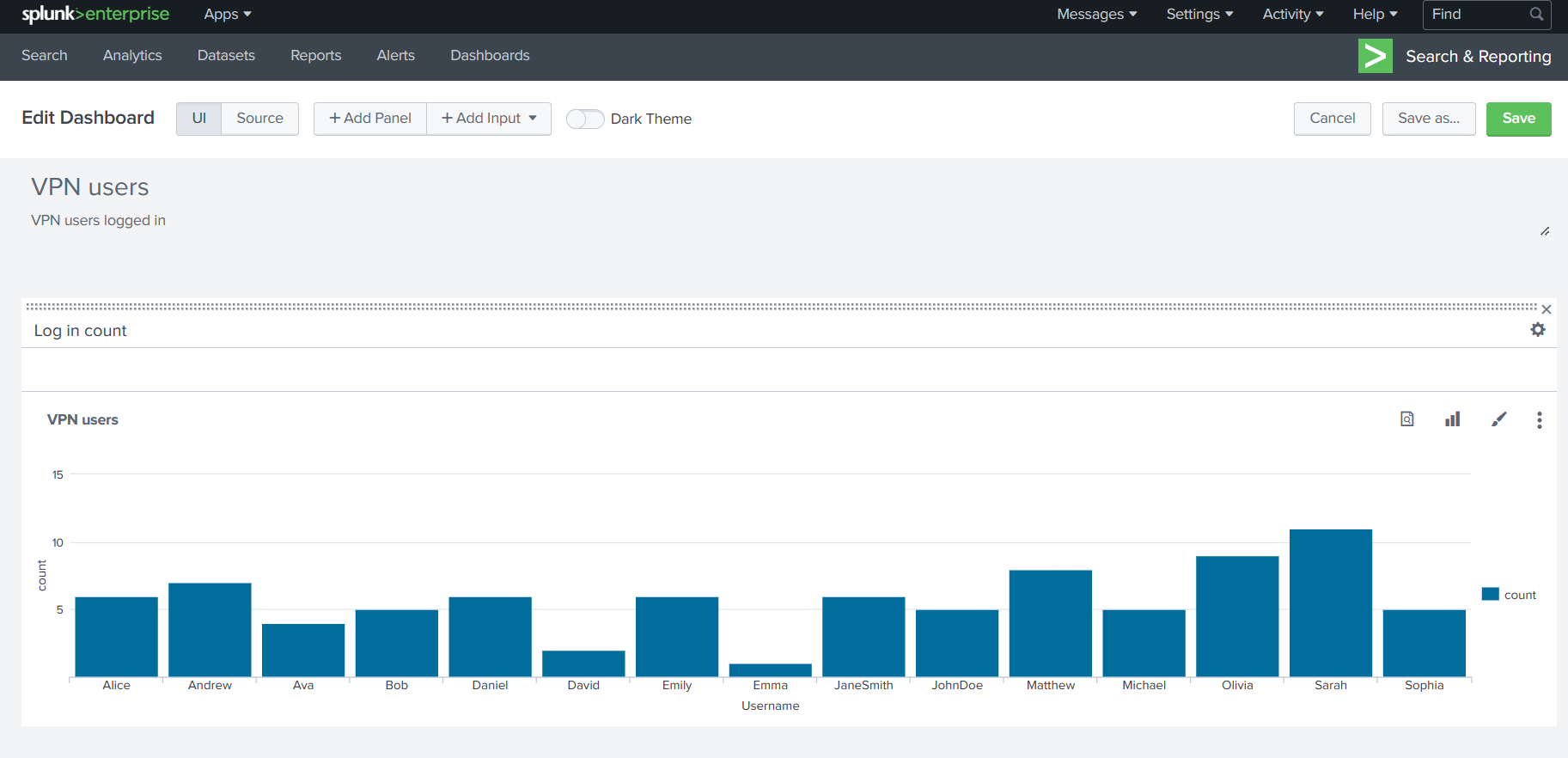
- What is the name of the traditional Splunk dashboard builder?
ANSWER: [REDACTED]
Task 5: Alerting on High Priority Events
Alerts notify the SOC when something unusual happens. They can be set to trigger actions like sending an email or running a script.
The Solution
- Trigger Conditions: You can set an alert to fire “Per-Result” (every time a match is found) or “Scheduled” (checking every hour, for example).
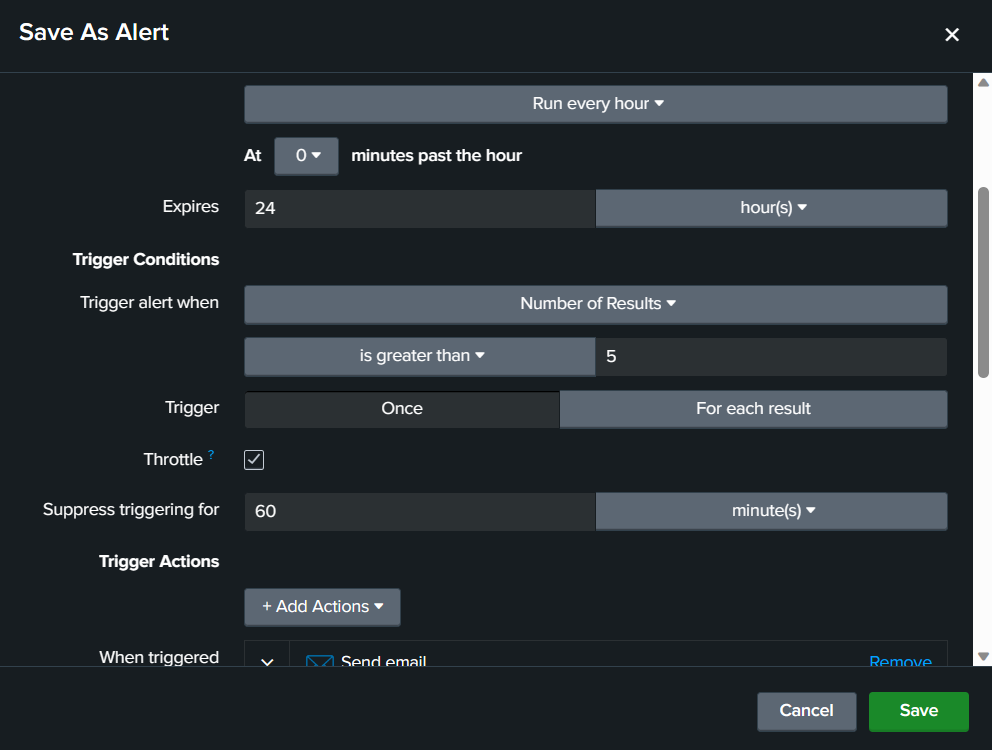
- Throttling: This is a crucial concept in SOC operations. Throttling prevents “alert fatigue” by suppressing duplicate notifications for a set period after the first alert is triggered.
- What feature can we use to make Splunk take some actions on our behalf?
ANSWER: [REDACTED] - Which alert type will trigger the instant an event occurs?
ANSWER: [REDACTED] - Which option sends only a single alert in a specified time even if conditions re-occur?
ANSWER: [REDACTED]
Flag Summary
| Task | Question/Category | Flag/Answer |
|---|---|---|
| Task 2 | Search all indices | index=* |
| Task 3 | Highest port count | 5 |
| Task 3 | Enable time choice | Time Range Picker |
| Task 4 | Least frequent status code | 400 |
| Task 4 | Traditional builder name | Classic |
| Task 5 | Splunk actions feature | trigger actions |
| Task 5 | Instant trigger type | Real-time |
| Task 5 | Limit duplicate alerts | Throttle |